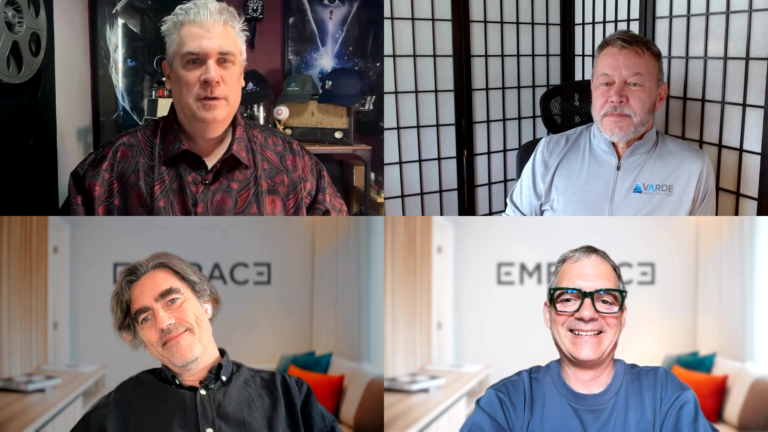
Cutting Through the BS of Corporate Video! Episode 8, Part 1 | EditShare & Suite Studios
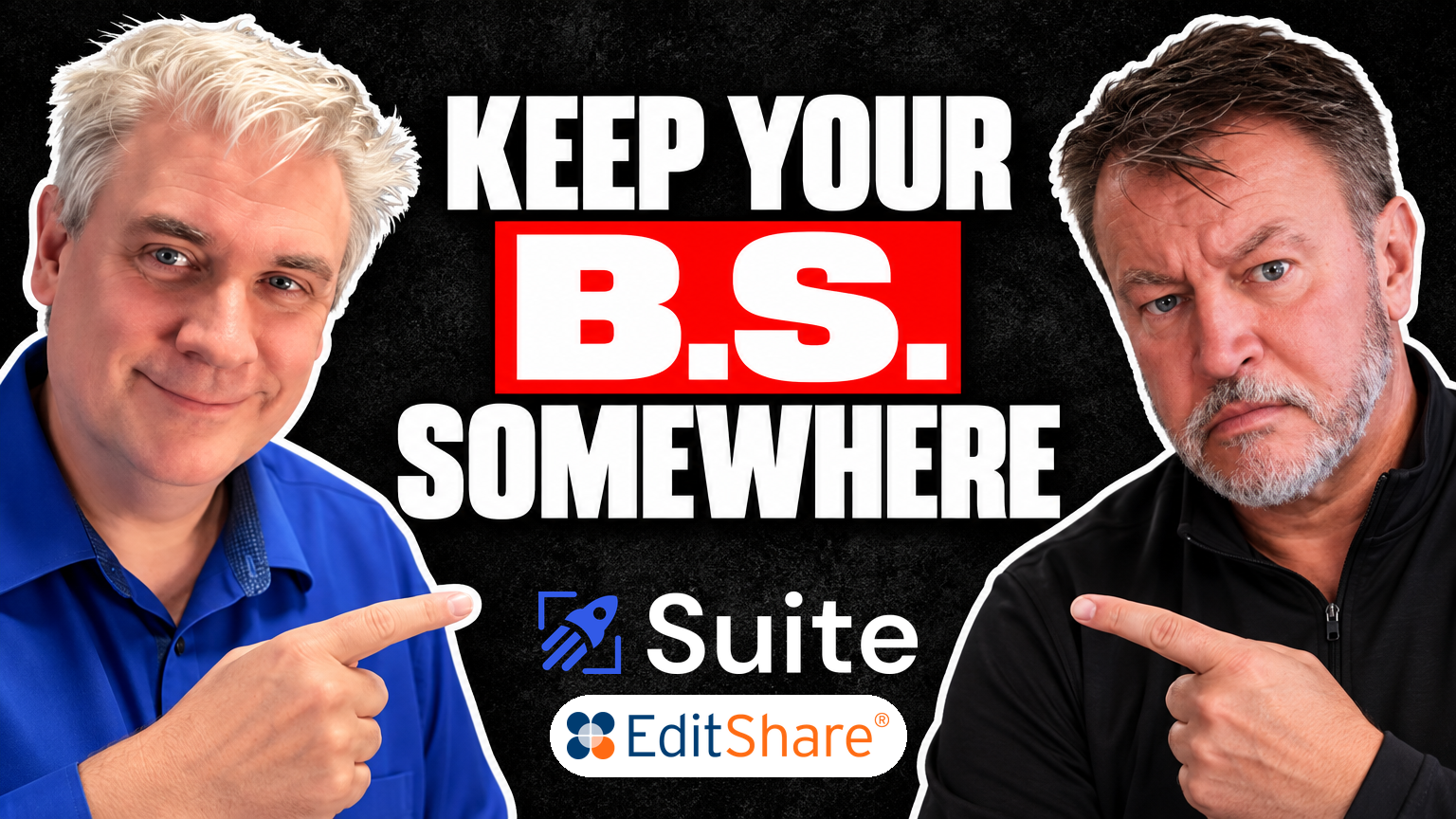
Episode 8 of Cutting Through the BS of Corporate Video gets to the layer the rest of the Enterprise Video Content Factory stands on: where the media lives and how the creative tools reach it. Jeff Sengpiehl and Eivind Sandstrand put two vendors with opposite architectures in the same conversation. Jeff Herzog and Grant Carroll represent EditShare, which comes from on-premises shared storage and media management. Ryan Servant represents Suite Studios, which is cloud native.
Part one covers what enterprise video storage has to deliver for a corporate team, why both companies now say to leave media where it already sits, how tiering works on hardware and on object storage, and where each architecture stops being the right answer.
Watch, then tell us on LinkedIn: can everyone who needs your video reach it without making another copy?
Takeaways
- Enterprise video storage is the layer every other part of the content factory depends on. Consumer file sync, desktop drives and traveling hard disks are not built for video work.
- EditShare and Suite Studios reached the same position from opposite ends: leave the media where it is and bring the tools to it. Both said moving media should be a deliberate choice and not the default.
- Suite Studios says its file system now runs natively on S3-compatible object storage in the customer’s own bucket. Files stay standard objects, so other tools keep their direct path to the same data.
- EditShare says FLOW AI can now run on a GPU added to its EFS 310 and EFS 410 storage nodes, which lowers the entry cost of automated tagging.
- EditShare previewed Media Drives, which lets MediaSilo reach into EFS and other S3-compatible storage without moving the media first.
- Ryan Servant called migration the line item nobody budgeted. In his view, removing it removes the main reason storage projects get postponed.
- Tiering goes wrong the same way on hardware and in the cloud: everything stays in the hot tier, or so much is archived that people wait to get files back.
- Ryan Servant named where Suite is not the best choice: a single facility with no outside collaborators, or a remote site with poor connectivity and no on-site cache.
- The storage choice depends on a clear view of the workflows and what the business is trying to achieve. No vendor can supply that for the buyer.
Full Transcript
Why Enterprise Video Storage Decides Everything Else (0:08)
Jeff Sengpiehl: All right. In this series, we’ve defined the content factory. We’ve looked at the editing service. We spent time on the orchestration layer. We’ve covered ingest and transcoding engines. Today, we get to the thing that everything else depends on: where the media actually lives and how those creative tools can reach it. We’ve got two companies here with two very different architectures aimed at that same problem. EditShare, who have been building shared storage and media management for a long time and came out of IBC last week with a pile of announcements, and Suite Studios, who are cloud native and who spent this year making their platform work directly on object storage, S3, that the customer already owns.
Eivind Sandstrand: Back in the day, I used to think that storage was the most boring part of media technology. “Storage is storage,” we always said when talking about it in the media asset management context, unfairly mistaking the lack of glamour for the lack of importance. Now, in my defense, that was before cloud and hybrid storage and those paradigms entered the scene, and a lot has changed since then. Not always for the better, though. Many attempted content factories confuse cheap and accessible storage for something that is truly suitable for video processing. As Jeff S. and I talked about in one of our first episodes, OneDrive, Google Drive, a cheap desktop attached storage or, God forbid, a traveling hard disk are not good options for video storage.
Today, video storage must deliver performance and flexibility. Storage can be both the first alliance that one has to join in order to implement efficient workflows, and it is also the strongest bulwark that protects your intellectual property, your assets. So we’ve invited EditShare and Suite Studios to this session because they approach and answer storage-related challenges from opposite ends, and then they kind of meet and overlap in the middle, in the hybrid realm. We thought it’d be interesting for our audiences to compare and contrast both sides at the same time rather than just getting one sales pitch at a time.
So with that, let me introduce our guests. With us today we have Ryan Servant from Suite Studios, along with Jeff Herzog and Grant Carroll from EditShare. Jeff is the Director of Product Management at EditShare, where he builds hardware and software solutions for video in broadcast, OTT and post production. He owns the strategy and roadmap for the EFS shared storage file system software. So he’s very much the guy that we wanted to have on this show. Grant is EditShare’s Senior Vice President for Sales. And although he has been working with sales and partners for the better part of a decade now, his career actually traces back to directing, video editing, and even tech and installation. Ryan is a well-traveled friend in our industry, and he’s now the Senior Director for Channels and Alliances at Suite. From a start in editing and engineering, his focus has long been on helping resellers deliver solutions for media management, workflow, and storage.
What EditShare and Suite Studios Do (3:06)
Jeff Sengpiehl: Before we get into any product, I want you guys to give people the frame in your own words. What does your company do for someone who has never thought about where their video files live?
Ryan Servant: So, Suite makes cloud storage behave like a fast local drive, so creative teams anywhere open and edit media in place instead of shipping, syncing or downloading it. The key part is it’s been built by people who came out of post, not out of enterprise IT, and I think that shows up in the product. The technical core is file streaming. We fetch only the parts of a file that the application actually needs, and then we cache intelligently around that. And as of this year, and Jeff referenced this, we do that directly on object storage that the customer can already own or have already filled up with a backup. So to be able to layer Suite on top of something like a backup you’ve had, flip a switch, and now that’s acting as a fast local drive, is pretty fun to be part of.
Jeff Herzog: Hi, thanks for having us, really appreciate it. So EditShare makes all scales of shared production storage and media management, with analytical AI tagging and workflow, for on-premise, cloud and hybrid, and really, as we’ll talk about today, everywhere in between. EFS, our file system, and FLOW, our asset management tools, represent our on-premise, cloud and hybrid shared storage file systems. And then MediaSilo is also part of the EditShare umbrella. That’s historically been known primarily for SaaS and cloud-based review and approval for external stakeholders. But with a lot of recent announcements that we’ll touch on today, and the launch of some new features, it’s morphing into something a lot bigger, broader and more powerful, in the form of a kind of overarching cloud and single pane of glass that can reach in and provide visibility to multiple on-premise and cloud-based products and services. So we really range a lot in both scale, cloud and on-prem, and also a range of associated workflows.
IBC 2026: AI on the Storage Node and S3-Native Access (5:21)
Jeff Sengpiehl: All right, let’s start with what’s new, because you both have news. Everyone just came off of IBC. Give us the headline announcements and tell me what problems each one of those solves.
Jeff Herzog: Sure. So the theme of the year for us, in terms of these past two major show cycles, has really been our analytical AI, and at IBC we really saw the maturing of that in multiple dimensions. The first dimension, which is kind of near and dear to my heart, is that we are democratizing this technology and putting it into the hands of more prospective customers. So this is FLOW AI, our on-premise analytical AI service that is essentially powered by GPU and CPU horsepower. An NAB ago we initially announced it, and we showed it shipping at this past NAB, based on a standalone processing node, which is quite powerful and reasonably cost effective. But we really wanted to continue to lower the price of that to get it into more hands, because it really revolutionizes MAM. I mean, there’s a lot of MAM skeptics out there. But with analytical AI, you kind of can’t afford to be skeptical of asset management anymore. People didn’t have time to do all the manual tagging. This just does it at a level of richness that you would really struggle to achieve manually.
And so with this announcement, we’re able to add a GPU into some of our core storage lines, EFS 310 and 410, and share some of the processing power, to bring the cost of entry down for that FLOW AI service. You need only add a GPU to the storage server you were otherwise going to buy, and then you’re off and running to the races. You’re making FLOW proxy files, and then those are automatically getting sent into the GPU and the AI engine for automatic tagging. So that was the first big announcement.
FLOW AI is also maturing and delivering support for more languages. We’ve got 13 coming at the end of September, with auto language detection, and many more on the way soon. EditShare One as a whole, even outside of the AI realm, is also maturing, with new archive workflow, user interface improvements and the like that continue to add value into that user experience. And EditShare’s AI solution, the same one I was just talking about for on-prem, is also available now not just on premise but also as part of MediaSilo SaaS tiers, but still with the predictable pricing and data sovereignty that’s kind of core to that product offering.
And then finally, MediaSilo is moving beyond just review and approval towards this production media hub that we announced, called Drives, MediaSilo Drives. So we’re able to mount and reach into not only EFS on-premise systems but any S3-compatible bucket and many other third parties via their SDKs: Frame.io, Iconik, Dropbox, Box, Google Drive and more. So we can really start to get visibility into all these services and kind of become a central clearinghouse for media, in ways that we’ll talk about a little more as we get into it.
Ryan Servant: And for us here at Suite, we had a pretty exciting IBC as well. But just to bring home the work that EditShare did, I totally agree that the AI-on-the-node move is the right instinct, and it points to the same problem we went after from the other side, which is that the media is already somewhere and the job is really just reaching it without moving it.
And so our native S3 provided a few key things. The first is: it’s your bucket, it’s your data, it’s our access layer. So we never take ownership of the actual storage. The native S3 workflow in the back end means there’s no migration, no duplication, no re-ingest. You basically pick a bucket, you grant access, and you start working, and those files stay as standard objects. So if a tool can talk to S3, it’s going to work with Suite out of the box.
Again, the key thing here is we didn’t just build a mount. We took a real file system and we put it natively on object storage. So keep in mind that discovery only works if access works. AI indexing on a library nobody can open in a timeline is a search engine for a warehouse you can’t actually get into, right? So we definitely solve the access half of that problem. We want to sit on top of a bucket that a customer already has, and then any tool, AI or otherwise, can hit that same bucket directly without having to go through us.
So the main thing for us: native S3 opens it up to every type of application that we’re going to discuss today, whether it be accessing it directly from the native object store or through the mount point that we allow.
AI indexing on a library nobody can open in a timeline is a search engine for a warehouse you can’t actually get into.
Ryan Servant, Suite Studios
Why No Migration Matters (10:33)
Jeff Sengpiehl: All right, Ryan, I’m going to hit you up on one of these points. You went native with this S3-native file streaming earlier this year, but you mentioned no migration. Why is that the important part, or one of the important parts, of this? Tell me more about that.
Ryan Servant: Yeah. So again, because we’re running natively on S3-compatible object storage and we’re reading and writing standard objects in the customer’s own bucket, it means there’s nothing to move and nothing to duplicate. So you’re going to point to that bucket. It could already have petabytes in it. You decide to grant access and people can start working.
And so the headline, essentially, is that migration is where these projects die, in my opinion. It’s the line item nobody really budgeted and the six months nobody has to do. And the risk is one nobody wants to sign for either. “We’re going to do this whole new project, but we have to migrate, we have to move the data, we have to do something with that data.” So removing it removes a lot of the reasons why people say, “Well, let’s try this whole new cloud thing next year.”
So the key, again, is files are staying as standard objects. There’s no proprietary format, there’s no re-ingesting, there’s no second copy to reconcile. Your bucket stays the single source of truth, which is what actually kills, in our opinion, version sprawl. And our byte-range streaming with partial random reads and writes at any file size is a big deal. A 4K camera original opens without a full download, and scrubbing actually pulls down just what the playhead is over.
Other tools keep talking straight to the bucket. MAM, DAM, render farm, custom automation. They do not have to go through Suite as a gatekeeper. And when they change something in that bucket, Suite’s going to reflect it immediately.
So, for instance, there could be a team sitting on a multi-petabyte archive in object storage. The old answer was months of migration or a restore queue of some sort. The new answer is a bucket connection, and remote editors can just start opening the files the same afternoon.
Migration is where these projects die.
Ryan Servant, Suite Studios
Why 2026 Became the Year of Leaving Media Where It Is (12:32)
Jeff Sengpiehl: Both releases say that: we’re just leaving stuff where it is, and the tools can reach into the storage that maybe you don’t even own and you don’t want to move. Media Drives are on one side, S3 native on the other. Why is it that we’re now talking about this in 2026? Why did this turn into the year of “leave it the hell where it is”?
Grant Carroll: I mean, one of the main reasons is because of what’s going on right now with component cost. In the past it was very easy. People would say, “What do we need?” “Oh, you need another couple hundred terabytes.” And they’d go, “Okay, great, here’s my card,” or “Go ahead and we’ll buy that.” And it was easy, right? Because storage was cheap. About a year and a half ago storage ceased to be cheap. Well, it was still cheap then, but now it has ceased to be cheap.
So people don’t want to spend that extra money, especially if they’ve just invested in something. So our thought process is, I’m sure similar to what Suite is doing: let’s try to eliminate any friction points. We’re going to work with what you’ve got. And that’s been our perspective. People have S3 buckets. We can use MediaSilo and the Media Drives feature to look in, see all of that, mount all of that and index all of that, and we don’t have to move it. It doesn’t have to move around. Like you said earlier, it doesn’t have to be this big project, like Eivind mentioned earlier, where you move a bunch of stuff out of archive and onto storage. So we’re trying to eliminate those friction points, and also give people the ability to use the tools that they have and that they like, with some oversight from our tools and some additional features and functionality from our tools.
One of the other things that Jeff mentioned is that the EditShare file system can now present itself as an S3 bucket to products like Media Drives and Suite Studios. I think that’s another great feature that a lot of storage products out there on the market that are typically used for production don’t have the capability to do, but we have the ability to do that, and it doesn’t add any more storage to the system either. So it’s a nice way to be efficient but also work with all of these other tools in a way that editors really want.
Jeff Herzog: Yeah, as companies we’ve really come to the same conclusion, as you pointed out, Jeff, largely independently or totally independently, right? Suite Studios has gone native S3. MediaSilo has gone native S3, as Grant said, through Media Drives as well. So there’s certainly a use case for moving media in a workflow where it’s needed, but that shouldn’t be the default answer, right? You shouldn’t move it, because the minute you’ve moved it, you’ve made a copy, and (a) that’s expensive to store and transport and (b) now you have a synchronization problem and a consistency problem, and it just gets messy in a hurry. So there’s certainly room and use cases for moving media, but it shouldn’t be the default choice in 2026, because it can often cause more problems than it’s designed to fix in the first place.
There’s certainly room and use cases for moving media, but it shouldn’t be the default choice in 2026.
Jeff Herzog, EditShare
Ryan Servant: Zero migration is a design choice, it’s not a feature. And I agree, the industry finally accepted, in my opinion, that data is not going to come to you. Object storage sort of won as the place where large media sits, and whoever owns that bucket is not going to want to move it around to make a vendor’s architecture work.
So for us it was pretty deliberate. We started cloud native with our own format in S3, and the honest lesson from the field was that asking the customers to move data was the tax on every deal. We were basically asking them to fit into our workflow. So the design constraint became, “let’s be additive,” and that wasn’t great, so now it’s: we want nothing to move, nothing to get copied, nothing gets re-ingested. And then, again, every other tool can keep its direct path to the data.
Grant and Jeff’s framing is the same as ours from the storage end. Neither of us are trying to be the one box to do everything. The value has moved to the reach, and making sure that everyone can work in the same workflow. It’s really about connecting workflows without forcing customers into any closed ecosystems. That’s the bottom line, I think.
Grant Carroll: That’s exactly right.
Jeff Sengpiehl: This is the content factory thesis showing up in all these product roadmaps. No one is trying to be the one box, like it was said. The value has moved to reaching the media wherever it already sits.
What Happens When an Editor Opens a File in the Cloud (17:18)
Eivind Sandstrand: And in fact, we talked about this with Sarah at HiScale just the other day. Although there’s sometimes a lot of overlap between providers and tech solutions, no one should really try to be everything for everyone. It’s just too many compromises, as we’ve seen over the years.
But let’s get concrete about the thing that our audience, the users, actually will feel. An editor opens a heavy project. So Ryan, walk me through what happens underneath when that file is in the cloud, but the timeline has to behave like it is on a local disk.
Ryan Servant: Whatever application you’re using, the application thinks it’s talking to a local disk with our file system. Underneath, we’re really only fetching the byte ranges it’s asking for out of the customer’s object storage, and then we’re caching around it so that the next read is actually local. So again, sort of like Netflix: you don’t download the movie before you press play. It’s the same idea at the file level for a 6K original camera file. That’s what we’re going to do.
So caching is doing some of the heavy lifting, and it’s multi-layered. There’s an individual cache on the workstation, and there’s a shared on-site cache for a facility with multiple people utilizing that. So the second person to touch a file has a completely different experience from the first. Then we also have pre-caching. That’s covering an editor who knows tomorrow’s going to be a long day or has kind of a horrible internet connection.
We also deal with something called transactional writes. That’s kind of the unglamorous part that matters the most. A file is only going to appear to other users when it’s complete. So there’s no half-written media poisoning someone’s timeline, and there’s no “why is this offline” at 2 a.m.
On speed, we don’t throttle. We take what the network gives us and we tune to the user’s connection, file type and application. So Suite can push some serious throughput, and customers consistently tell us the difference is very noticeable.
Jeff Herzog: Grant and myself and the rest of our sales team spend a lot of time educating customers about this very question. And it’s not necessarily, for us, a one-size-fits-all answer. There may be a more complex answer here than Ryan would give, just by the nature of: we sell some on-prem, some on cloud and some in between. It really boils down, for us, to where the various components and players of the system are. And I like to think of it as a triangle. You’ve got the storage, obviously. That’s why we’re all here. You’ve got the NLE creative workstation, the heavy-duty, often GPU-enabled, heavy-lift creative station, whether that be a real machine or a virtual machine. And then you’ve got the human operating that station and trying to access those files on storage. And all three of those components in the triangle, pre-COVID, by definition always had to be in the same place.
In either case, you can have as much performance and bandwidth as you want on the on-premise EditShare or cloud EditShare delivered to that NLE workstation, and all you’re sending is a picture to the end user. Or it could be something else. This is why we call it “journey to the cloud.” We have a technology called Swift Link. It lets you mount our storage remotely over a VPN. And in that instance, your workstation is with you, but the storage is remote to you. And that has its great use cases. It can work in many proxy workflows. It can work also in mezzanine workflows. It depends on your bandwidth and throughput and what you’re trying to do. It can also work in hybrid proxy/online workflows that allow a fluid, smooth editorial experience offline, but also pausing on a high-res frame to check it out for critical focus or color correction.
There are easy and simple answers that you can implement, that we will walk you through and demonstrate, that will become clear to you. But you have to understand some sort of conceptual framing around the players involved, and then it can all kind of snap into place.
Tiering, Right-Sizing and When to Buy (20:52)
Jeff Sengpiehl: Snapping into place is kind of what this is all about, because you’ve got a lot of places to be. Your range runs from portable field NVMe up through 20 petabytes. And now you’ve got the hybrid box that puts NVMe and spinning disk in the same system. How is a buyer supposed to think about tiering? What do people get wrong when they pick a tier? And also, what do they get wrong when they wait to buy these days?
Grant Carroll: The best time to buy a piece of hardware for on-prem, whether it’s us or anybody else, was yesterday. Okay? The next best day is today, and the next best day is going to be tomorrow. The longer you wait, the more it’s going to cost, based on how things are going with these hypercompute people that are buying up all the resources.
So the simple answer to that is: the sooner you can make your decision and confirm what your config is and what you need, the better it is to purchase.
The other part of that question was, how do people right-size? That’s what we call it. We call it right-sizing your purchase. So we try to help people do that. We ask a lot of questions around what they’re doing, how long it needs to stay on the system, how many projects they have and things like that. So if we’re tiering a system, we’ll try to build a configuration that has an appropriate tier based on what they need for this month, or this set of projects, or even this year, based on priorities, budget, how long things are going to need to be on there, and what performance level they need while they’re on there. And then we’ll put it into other tiers. A lot of our customers don’t purchase NVMe, just because that’s sort of like the uber ultra high-end storage that gets ridiculous amounts of…
Jeff Herzog: Think individual streams and file-per-frame, UHD and above, finishing at gigabyte-per-second, multi-gigabyte-per-second scales, right? Really heavy duty.
Grant Carroll: Yeah, most people that do have it have it as part of a larger configuration where there are multiple tiers. But yeah, we just try to educate them, and educate ourselves on what they’re doing, so that we can make the right recommendations for them.
Jeff Herzog: I like triangles. So I think of it as another triangle, between capacity, performance and price. And we can play anywhere in that triangle. If you give us the right problem definition of capacity and performance on average days and worst case, we can locate a system that sits correctly on that triangle.
Jeff Sengpiehl: Ryan, how does tiering look when the tiers are object storage classes instead of physical items in a facility?
Ryan Servant: Yeah, good question. Our version of tiering is sort of active versus archive. Active is what you’re streaming and editing against. It’s what you want to work on every day on the projects. And archive is kind of a similar library, but at a materially lower cost or rate. You’re not using it as much. The part people don’t expect is that archive files can stay visible and come back instantly. You drag them back. There’s no restore queue. There’s no retrieval fee. There’s no egress surprise. It’s cold storage kind of without the cold, when you’re using our archive tier.
Where people get tiering wrong with us is the same as they do with hardware. It’s just cheaper to fix. They put everything in the hot tier and they don’t ever revisit it, or they archive too aggressively and they forget that the real cost is an assistant editor waiting to pull it back.
With S3 native, if a customer already has a lifecycle policy they like, it just keeps running. We’re the access layer on top of their tiering, not a replacement for it. So my sense is, now, when people are adopting native S3, they’re going to just stick with their typical lifecycle policies, and we will just work. We don’t need to change any of those policies.
Jeff Herzog: I would also add that S3 is an important tier and component of a conversation in an EditShare sale as well. Obviously we’re not selling them the raw storage in that, but it’s a crucial part of the workflow answer and the workflow solutions. We can interact with multiple S3 tiers as storage, in FLOW, our asset management tool, in EFS and in MediaSilo, in multiple ways. And it’s an important part of the picture, especially for archive. And as Ryan says, you don’t necessarily need to have the fear of it that many people might. You have the visible proxy files in FLOW at all times, no matter where the media is. And there are multiple tool sets within FLOW itself, or multiple tools we interact with, like Spectra Logic or other providers, that then can do that lifecycle management between a tape library and an S3 tier, for instance, that we in turn have integrations with. So you, on the asset management layer, don’t necessarily need to worry about it. So it is definitely an important part of the picture. It’s not just about bare metal and shipping you boxes and storage. That has its place, certainly, but it’s part of the full solution.
Where Each Architecture Stops Being the Right Answer (27:50)
Eivind Sandstrand: It’s the moment of truth, time for honesty. I want both sides to answer about your own product, not the other one. Where does your architecture stop being the right answer?
Ryan Servant: And this is where my bosses are going to kick me under the table, right? We’re not the best choice if everyone you work with is on-prem with you. If you don’t have any need to collaborate outside of that one facility, if you’ve got 12 people who are walking past the machine room, a local SAN is a fine answer. I’m not going to pretend otherwise.
There is obviously an honest dependency on the network too. We are really efficient with the network and we cache hard around it, but there’s going to be a floor. A very remote facility with bad connectivity that never is solid or even remotely decent, and they have no on-site cache, they’re going to feel it. And where there’s uncompressed high-end finishing inside a facility, no collaboration, they already own the hardware, local storage is going to win.
What flips it is going to be the moment one person is outside the building, though. A remote colorist, a freelance editor, a second office, a producer who travels. That’s where the local-only story is going to start to cost more than it’s actually saving.
What flips it is going to be the moment one person is outside the building.
Ryan Servant, Suite Studios
Jeff Herzog: We can actually act in those cases where there might be a use case for Suite, but maybe it’s 90% on-prem and 10% off-prem. There’s really still a use case for Suite. We can actually be that local cache for those 90% of users. And so that’s a way in which our two companies can partner to make it such that one plus one equals three here.
And we’re also looking for other ways that we might partner, potentially utilizing our newly announced ability to expose ourselves as S3. Suite speaks object storage, we speak object storage. Well, now all of a sudden you’ve got the best of both worlds. You’ve got the visibility to on-premise storage for those that need it in the Suite world, but you’ve also got the incredible gigabyte-per-second performance, which is where EditShare really excels. So it’s not an either/or question necessarily here. There’s room for partnership as well.
Why the Storage Decision Needs a Neutral Advisor (30:18)
Eivind Sandstrand: In all honesty, the decision of what storage to choose is something that you’re going to have to live with for a long time. And the decision on which storage to choose relies on a thorough understanding of what the hell your workflows are and what your business is trying to achieve. And not that Ryan couldn’t give you that answer, or Grant or Jeff or Paul couldn’t give you those answers, but it may be a better idea to go down the neutral path of a consultant advisor to help you investigate these things. People like Jeff S. and myself, we would never steer you to the wrong solution when it comes to this.
Jeff Sengpiehl: Absolutely. The pattern across every one of these conversations is the same. The tools do keep getting better and more open, which keeps raising the stakes on the decisions no vendor can make for you.
Eivind Sandstrand: And I don’t mean to beat a dead horse here, but I have to say it again for the people in the back of the room. There’s a reason why we have Suite Studios and EditShare on this episode and not the people representing OneDrive, Dropbox, traveling hard disks and all this stuff that is not storage that can deliver for video workflow. The content factory needs storage performance and flexibility. Otherwise, it will bleed money, silently or loudly, through cost overruns and, very importantly, efficiency losses. A well-designed storage strategy isn’t throwing a lot of hardware, if you can even get it these days, at the situation. It takes thoughtful analysis and consideration of what you make and when and where you need it, and then a solid integration into and with the other tools they use. And you can come talk to Varde or the Post Doctor about that anytime you want.
The content factory needs storage performance and flexibility. Otherwise, it will bleed money, silently or loudly, through cost overruns and, very importantly, efficiency losses.
Eivind Sandstrand, Varde Media Solutions
Jeff Sengpiehl: Thanks to Ryan Servant from Suite Studios and Jeff Herzog and Grant Carroll from EditShare for joining us today. Next time we’re going to dig into another part of the content factory. And if you’re a vendor who’s up for cutting through the BS, drop us a line. And you, you’re the most important part, our audience. Please hit those like and subscribe buttons. It helps us know what content is most relevant for you and bring new guests and topics to discuss on Cutting Through the BS. And if you’re looking for the best way to move your content factory forward for all the departments of your enterprise, reach out to Varde or the Post Doctor. Eivind and I would be happy to get a conversation started about how to make all this happen for you. Please join us on our next episode, and until then, have a great day.