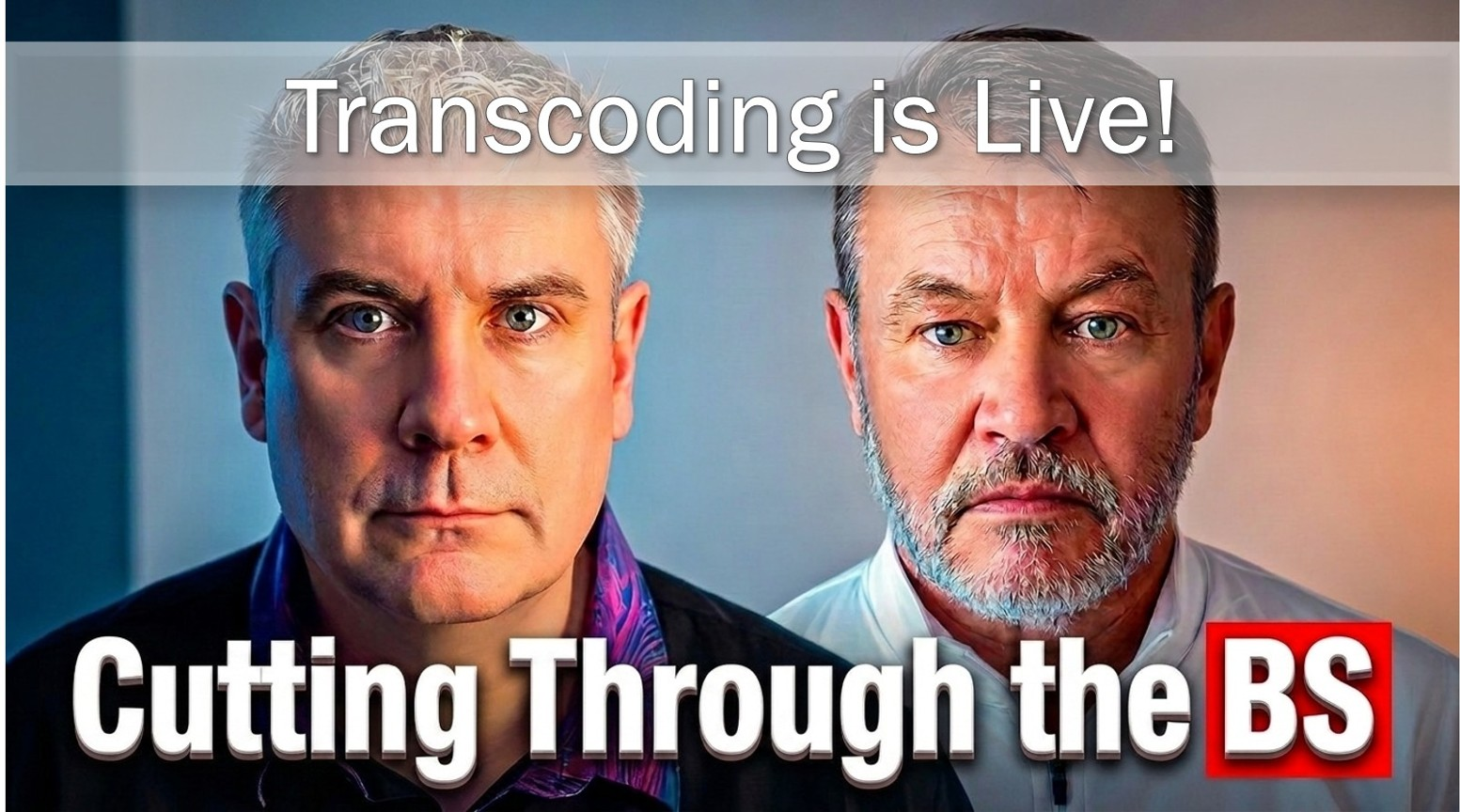
Cutting Through the BS of Corporate Video! E7 Part II | Hiscale Live Demo
Episode 7 of Corporate Video is BS continues with Sarah Semlear from Hiscale. Part one covered the two ends of the Enterprise Video Content Factory: verified ingest and elastic delivery. Part two is the demo Jeff and I promised: Hiscale AGENT pulling files off a camera card, FLICS transcoding them in the cloud, and the hybrid cluster view that keeps the whole thing on infrastructure the corporation still controls.
The question underneath the screen share is the one every IT team asks before they say yes: who owns this, where does it run, and what happens if we need to pull it back on-prem. That question is what hybrid cloud video infrastructure is actually for. Sarah’s answer is that Hiscale never sees the files at all. It processes them and gets out of the way.
Where does your organization’s video setup break down: on the way in, or on the way out? Tell us on LinkedIn.
Takeaways
- Hybrid cloud video infrastructure is not a compromise. It is how media processing gets an IT department to yes, because the corporation still owns and runs the infrastructure either way.
- Transcoding should be evaluated in the first phase of a system rollout, not bolted on later. Teams that skip it end up blaming the MAM for what is actually a transcoding failure.
- Elastic, on-demand transcoding turns a fixed cost center into a variable one. Idle capacity costs nothing until a job actually runs.
- Verified ingest, confirming a file transferred completely and is not corrupt, is framed as a layer IT can point to, not just a convenience for producers.
- Vendor neutrality (open APIs, no lock-in) is presented as a design response to how differently every IT department actually works, not a marketing line.
- No single vendor covers every workflow. Hiscale’s own read: FLICS is overkill for low-complexity shops with little format or codec chaos. The fit depends on the actual file-transformation load.
- Live ingest generates a usable proxy while the file is still recording, so editors can start cutting a growing file before it closes.
- User confidence during rollout is treated as a one-shot resource. A system that breaks on first contact with users rarely earns that trust back.
Full Transcript
Hybrid Cloud Video Infrastructure: What “IT-Controlled” Actually Means [0:07]
JEFF: Now we’re getting to the part that I most wanted to talk about. Hiscale’s whole deployment story is on-prem, cloud, or hybrid. No forced migration, no loss of control. And in a corporation, media doesn’t own the infrastructure or the servers, IT does. It’s got rules. So let’s get some concrete around this. What does hybrid actually mean in a corporate IT-controlled environment, and why is it so often the correct answer here?
SARAH: I think it depends on your IT and how strict they are about it. I’ve worked with some IT that requires that the AWS be owned and operated by the company itself. And then some that only allow on-prem because there’s certain legal aspects of things. I know a lot of government entities only allow on-prem or private cloud, so that’s a cloud where there’s no public access, basically their own server room that they have complete control over. Because there are various opportunities and options, we’re not limiting to our hardware, we’re not limiting to a specific environment. We’re saying this is software. You should be able to deploy it how you want to deploy it, not the other way around. And I think that’s a huge limiting factor for some other systems out there. There’s a controlling aspect to it that says no, you have to work this way. I have never once seen an IT department work the same way. They are always different, they always have different requirements. And we’re always going to be able to meet those because we can work how they need us to work, versus how we say you should work.
“I have never once seen an IT department work the same way. They are always different, they always have different requirements.”
Sarah Semlear, Hiscale
Why We Can’t See Your Files [2:01]
EIVIND: And you’ve been containerized since the very first day, which is a huge plus. Back in episode one, Jeff and I said that IT and compliance exist to protect the primary business, and that media has to work through them, not around them. Where does the hybrid model help you get to a yes with a nervous IT or security team inside of a corporation?
SARAH: One important thing is we can’t actually see the files. I think we’re a little bit different than something like SuiteStudio or LucidLink or an asset management system, because we’re not actually storing files anywhere, right? We’re processing them, for sure, but we don’t see them. We don’t have access to go look at what you’re doing. This is software that you’re deploying. And we have validation. We’re making sure that the files are getting in correctly, that they’re not corrupt, that the transfer is happening properly. So from an IT, holistic, making sure the file is safe and secure and not corrupt perspective, we’re adding a layer of protection there, a peace of mind from a security standpoint. Again, going back to that ownership layer, whatever we are deployed on can be owned, and we don’t have any hardware, we don’t deploy on our own cloud. Whatever is being deployed is being deployed on either the systems integrator’s system or their own and operated system. So it’s something that they have complete control over that environment, or their integrator has complete control over that environment. It’s not something that, even with asset management systems, there’s that layer where the software is deployed in their own environment. So even to that extent, we’re in an environment where it has complete and total control.
GPU Acceleration and the CapEx/OpEx Question [4:18]
EIVIND: And you can still leverage GPU-based acceleration for better processing?
SARAH: That just has to do with the hardware that you’re getting, you know, because cloud ultimately is just hardware. It’s just sitting in a shipping container in the middle of the desert. The GPU isn’t actually an additional cost on our end, it’s just a button that you click. What’s also flexible about it is you don’t have to worry about is this capex, is this opex. It can be either of them. Because I’ve been down those roads before where we’ve had this beautiful explanation of what operational expenses are, and you get to it and then they say that really doesn’t matter for us, we either can’t use them or it doesn’t matter on our taxes. And we have a bunch of different models and ways that we can bill, versus just one.
Elastic Scaling and the Human Cost of Not Having It [5:06]
JEFF: Yep. And that’s where that cost argument lands differently inside of a corporation, because video is a cost center, not the bottom line and revenue line of the company. Your headline is up to 50% savings from responsive processing. Can you explain how the elastic scaling is producing that, and why it matters more in an enterprise that doesn’t run media 24/7?
SARAH: Going back to that flexibility, you could have, let’s say, a smaller company that’s just processing a couple things a week, and then once a quarter you have a much bigger shoot that creates an exponential amount of content coming in, and you want to be able to scale up. We have a consumption model on top of the base model that allows for that. Okay, you have 500 hours coming in. That’s a ton of content, way more than usual. You want to be able to scale that up and not slow down your normal processes. I think a lot of what smaller production companies run into is that scalability issue, and the issue of other systems costing so much. Competitors have that cost aspect that is preventative in a lot of cases. As far as keeping that cost low, on the cost-center side of things and the video-creation side of things, we can reduce the amount of human time spent, we can reduce the amount of time it actually takes to get it done before you can start working on it. So you need that edit proxy made, or you need that daily made. You need something quick, easy, fast, you need the files coming in live, you need to be able to cut them. That’s a huge thing I see with a lot of customers. They’re like, “well, we can’t really afford to have live growing files, that’s not something we’ve been able to afford.” But then I take up all this time processing the video and sending it out, and the producer gets mad because they haven’t seen it yet. Compare that time against the time you’re paying that human against what it takes to process the video on our end, and you’re going to see it’s going to be less. The human cost ends up being pretty high in those cases. I’ve dealt with it myself, before a lot of this stuff existed. You needed a lot of humans, media managers being the biggest thing, because there’s a lot of translation between a bunch of different teams: the production folks, the post-production folks, the producers. You need someone to be able to move all that media around, process it properly, and get it into the right hands. But let’s say you don’t have money for that, you just need a workflow to do it. Or you don’t have time for that, you need a workflow to do it. So we’re saving time, we’re saving money on the front end. Also saving it on the export layer as well, that localization. If you have to export a hundred different versions of the same thing, you have to put a different layer on every single video and then hit that export button, that’s going to take days versus hitting it once, it takes an hour. So you’re seeing a lot of this time saving and cost-saving on the ingest and processing side, and then as well on the export and final video delivery side.
“The hybrid piece is that very quiet key. It’s how your media can get to yes with the IT department.”
Jeff Sengpiehl
The Demo Begins: Hiscale AGENT and Camera-Card Ingest [9:00]
EIVIND: As much as I love chatting about workflow, how about we take a look at it? I know we talked about taking a look at kind of the whole workflow pipeline that you folks do.
SARAH: Yeah, for sure. Okay. I am going to share my screen. I’m going to start with the Agent, that’s our camera-card ingest tool, our fancy copy and paste, as well as that workflow automation that allows us to do all that cool stuff. And then I’m going to move on to what the backend system looks like. I’m a technical person, but I’m also, I used to be an end user, so I like to say it looks scarier than it is, but really it’s pretty easy to understand. None of this is outside the realm of something that a pretty normal person can understand, if you understand these environments, which I think is kind of cool. I’m going to start off today with Hiscale AGENT, which is our fancy copy-paste tool. This is our camera-card ingest tool. There’s a lot of really cool things that you can do in here, with setting up source and target and transfer and copy behavior. Things like parallel transfer we can set, so that it’s faster than normal copy-paste. And then we also do verification, verifying that the files are coming in and they’re not corrupt, and that everything is properly transferred. So if you want to dive into that more, I’m not going to get into all those settings, but you can request a download on our site, and you can test it out yourself. So here are the presets that I’ve set up for myself. Archive, you would use, let’s say you have a bunch of hard drives in your closet and you want to get them into your archive. What we can actually do is clean up all of your file names, say there’s a bunch of emojis in your file names, and all your folder structure is a mess, and you can’t find anything because of that. We can actually resort your media, take out all of those emojis, make sure that it’s transferred into your active storage in a way that’s going to be a lot cleaner. So it’s an example of just a copy, a copy from your hard drives up into your active storage. Multi-transfer, let’s say you’re on set and you have to transfer a camera card onto two different hard drives and you also want to send it to the cloud. You can do that with one click rather than multiple. News, this is set up so that we’re actually going to do a copy function and then also a workflow. And the workflow functionality, that’s where the transcoding comes in, that’s where the cost comes in. The transcoding integrations, the FLICS integration here, which you set up ahead of time with your FLICS account. So what this is going to do is it’s going to move the files from our card or our local storage up into the cloud, and then once our system can see it in the cloud, it’s going to transcode it. It’s going to take all the files that I select, stitch them into one file so it’s a daily, so I can send it off to a producer, and also put it in an Iconik. We can also do things like have it land on active storage. There’s a bunch of different cool stuff we can do. So I’m going to select News. I’m going to continue to my source, and I am going to drag in my files here. You can see here that I have everything that’s currently mounted on the machine is going to show up here. So if you have a camera card plugged in, it’ll automatically show up, you don’t have to go looking for it. You can also navigate to whatever folders, but you can also do a drag and drop here. So I’m going to select these two files and then continue to target, and I’m going to select copy and workflow so that it performs that functionality against it. It’s going to upload into Wasabi. I’ve locked this, you can see I’ve locked this directory name, I can’t change it, that’s by design. You can have it be flexible, so that it’s either locked or something that people can put in manually. But right now it’s populating with the date and then a tag that I’ve added on here. And my workflow that I want is already selected. So it’s really just a few clicks. And here I’m going to name this “podcast,” and I’m going to start my ingest. It’s popping up here with everything that I’ve chosen. I’m going to hit confirm and start. My finished jobs are down here, those don’t clear until you clear them all. We can see that it’s uploading to the cloud now. Once that’s uploaded to the cloud, it will start the transcode on my FLICS. So you can see it’s done, I can go ahead and hit “open in FLICS,” or copy the FLICS ID, and I can also show the log of the transfer. So I’m going to hop over into my FLICS system now. And we can see that it’s running, it’s 77% done. And if I go into the overview, I can see that it’s running through my workflow here. So the green means it’s already done, the yellow means it’s in progress and currently running. If something were to show up as red, as failed, you can dive into that and figure out exactly what happened and what went wrong. This is going good right now. So I’m going to jump over into our Iconik here. And we can see that it’s already loading in there, it’s currently creating that proxy so it’ll be able to see it, but it’s already created the record of that file in the system. So I’m just going to wait for that to be done. Now it’s importing into Iconik here, and it’s done. So I’m going to pop back over into Iconik, and we can see that it is in the system with a proxy. And it’s two different files stitched together, so I’ve selected two different files, and they’re one file now. So that’s a cool way that we can do ingest here. We can do a number of different profiles and workflows, it doesn’t have to necessarily be a stitch, but that’s one option for something that’s really cool and easy to share out to our producers when it’s done.
Inside FLICS: Cost Tracking and the Hybrid Cluster View [15:40]
SARAH: So I’m going to jump back over into our FLICS back end. This is our dashboard. You can see here we have, like we talked about before, the cost associated. This is something that you put in what your cost is, and then this will track that for you, so we can exactly see how much we’re charging on each system and make sure that we’re not going over budget here. So we are a software, we don’t really care where you deploy us. It can be deployed in the cloud, on-prem, or a combination of the two. This cluster view, this is unique to us because of that. This right here, this is our on-prem storage. This is set up with two workers that are always deployed, so they’re always ready to go, they’re not costing us money because they’re not in the cloud. So they’re always deployed and can transcode on a dime. We have our AWS cloud here, and Azure, you can see that there’s nothing spun up in there right now, because the cloud costs money, and we don’t want things running in the cloud when we’re not using it. So when no transcodes are coming in, there’s no reason for anything to spin up there. So I’m going to hop back over to my dashboard, and I’m going to click on my demo here and hit the submit button a bunch of times, and that’s simulating a bunch of transcode jobs coming in. And we’re going to see a spike here, the red. So a bunch of jobs just came in. I’m going to hop back over to my cluster view, and we can see that there are some transcoding nodes spinning up here, so those are going to start transcoding in a couple of minutes, and we can set cool-down time. So let’s say we want those to spin down as soon as no further jobs are coming in, so like one minute it’ll turn off, or it could be 10 minutes or 20 minutes, whatever you want that threshold to be.
Workflow Builder and Integrations [17:28]
SARAH: I’ve been talking a lot about workflows, I’m going to jump back over into my definitions tab here. So this is our workflow builder. This is meant to be something that everyone can understand. You can have super simple workflows like this, a two-step workflow right here, or it can get more complicated, where you have a bunch of different steps, and Slack messages being sent when there are errors or successes. If I go into edit here, you can see I can pull these tabs down, so it can be really easy to build, you don’t have to know how to code in order to build these workflows here. You can also put in these different types of messaging, but also we have this HTTP button, where anything that has an API key you can plug in there and add in here, so you can add in integrations even if we don’t already have that integration, anything with an API. Our integrations, we have a bunch already, of course with Iconik, and Cantemo, but we also have a number of others that can automatically be added in without additional coding.
Live Ingest and Growing Files [18:38]
SARAH: We can also do live ingest. So I’m going to go over into my Ingest, this is our live-ingest scheduling tool. This can record onto active storage so that editors can pick it up and start working on that growing container file right away, in Premiere or Avid. But we can also send it to Iconik for live ingest, so it’s ready to go as soon as you stop that record. So I’m going to schedule the record now. I’m going to select my source and my template, call this “podcast.” I’m going to start the recording now. So I have a preview functionality, really this is just to see what the feed is going on. So I can see that the source is coming in here, it should populate here soon. Hop over into Iconik, and we can see that it’s coming in here now. We can’t view the preview until it’s done, until it’s closed, we will, in a few days, have the capability to watch the preview live as the live file is coming in and being generated, but for right now it’s just a waiting file as it’s transcoding. So I’m going to pop back over into here and stop this record. And then, if I update my Iconik, it’s just going to take a few seconds to close that file. And we can see that it’s available here. So as the file is being created, as that file is being recorded live, it’s actually creating the proxy at the same time, so it’s available pretty quickly after you stop that record. You don’t have to wait for hours and hours for that, it doesn’t matter how long the file is, because it’s creating it alongside of it. It’s available almost instantly.
Sub-Clipping and Custom Actions with Iconik [21:06]
SARAH: We also have a lot of integrations with Iconik, we work really closely with them, so we do a lot of custom actions with them. One of the really cool things that we do is subclip, an advanced action that we can do. So the sub-clipping functionality, if you’re not familiar with it: you can create a sub-clip by selecting an in and out point, and creating the sub-clip. So what this is doing right now is it’s creating a reference file to the original parent file, but that reference file, you can’t do things like download it or edit it. So what we can do is come in here and create an advanced sub-clipping transcode. So go ahead and hit that, and it’s going to start that transcode of turning that sub-clip into a physical, downloadable clip. It still maintains the parent-child relationship, and you’re still able to make sure that connection is there, but you now have a physical file that you can download and send to other people. The other cool thing is we can put this into a collection and select multiple sub-clips and then turn that into one longer clip that you can send to an editor as a rough cut. So it’s a really cool way for producers to be able to create rough cuts themselves outside of an editing system.
Templates, Watermarks, and Localization [22:37]
SARAH: One other thing I just wanted to show, you might have seen that in this we had this bug here coming in. In our template section, we can do things like add time-code display, subtitle overlay, we can add watermarks, graphic overlays here too, so that we can make sure that when we’re sending things out, it has that watermark on it, so we know where it’s coming from, where it’s going. We can also do things like add a pre- and post-roll, which are really helpful for things like localization. We have a Premiere plugin as well, useful for that: let’s say you have a localization workflow that you need to perform, that has a hundred different exports, and you want that localization to have each export have a different pre- or post-roll, you can just click one button instead of clicking it a hundred times and do that export there.
“Transcoding is boring. Think about it less.”
Sarah Semlear, Hiscale
Wrap-Up: The Hybrid Promise [23:43]
SARAH: So yeah, so that’s the demo. So what I want our viewers to notice here is where that ran. How did this transcoding take place? Nothing was forced into the cloud unless this was actually a decision that we had made through a configuration, through a setup, and that is the hybrid promise, as we call it. Control is kept where it needs it. And in a related vein, Hiscale is deliberately vendor-neutral. Open APIs, no lock-ins, you own your workflows, you own your deployment, whether you put it on-premise, hybrid, or cloud, whatever you want to do.
Open APIs and No Lock-In: Design Choice, Not Slogan [24:29]
EIVIND: But Sarah, for a corporate buyer, an integrator, or a consultant and solution buyer like Varde, why is this open-APIs, no-lock-in approach an important design choice, and not just a slogan?
SARAH: I think the really important thing here is to remember that users are not the same, and that they all have different workflows, and that forcing a user into one workflow is going to tank your system. I have tried to get everyone to work in one way before, I’ve tried to work in that type of environment. You build this beautiful thing, you do all this research of like, yes, I think this is what needs to happen, and then you roll it out and people are like, well, that’s not how I work, I don’t want to do it. You have to build something that makes it easier, that’s not going to drastically change how they’re working, it’s only going to make it easier. So the important thing there is the flexibility in your chosen system, that it’s working with all of the other systems you need, dependent on your specific workflow. That means you can plug in, you have this very specific use case, for very specific captioning requirements, you need only this type of tool that’s scrubbing your system and looking for artifacts in your videos, because your use case is super specific. Well, what if your system won’t integrate with it? Well, you can’t use that system then. The ability to easily plug things in and work together is incredibly important in a landscape where there are a million different options. You’re making yourself invaluable by providing that flexibility, and also being an incredibly robust, strong system. You can be the greatest system that ever was, if you don’t work well with others, you’re not going to do well in the industry.
Where Hiscale Fits in the Partner Ecosystem [26:45]
JEFF: Because you partner with Iconik, LucidLink, Embrace, Vidispine, SuiteStudio, we had Embrace on in a previous episode. Can you walk through how Hiscale sits alongside those sorts of folks in a real content factory? Where should the phone ring for a partnership you haven’t built yet? And for those who want to build those integrations, maybe even hint at what they would ask for, where do you find the Swagger file?
SARAH: Yeah. So I always say transcoding should be part of the first step. Because people are like, oh, it’s another expense, let’s add it down the road. If you don’t add it in your initial phase, you deploy the system, you roll it out to users, and it starts crashing and failing as soon as you put it into production. Why is it crashing and failing? Everyone’s blaming your MAM, it’s not your MAM’s fault, it’s your transcoder’s fault, because you didn’t do a proper evaluation of the kind of content coming in. It’s failing because it can’t process the files, and it’s failing because there’s too high a volume of files. That puts strain on the system, and if it breaks immediately when you roll out you lose that user confidence, and then you aren’t able to get it back. You have one shot at this, just one. So we should be involved in the very beginning, because then we can build a system that actually works for the end users and gets them excited about it, and then they’re like, this is the greatest thing, it’s not broken, I love it. And you’re able to get that buy-in early on, that buy-in is really, really important. I’ve seen systems fail, I’ve made this mistake myself, when I was younger, rolling out systems, I’ve seen whole systems fail and not work because of user confidence issues. So it’s something that not a lot of people initially think of, but again, it goes back to: transcoding is boring, think about it less, you just want your system to work. So we really want to get in on that ground floor with everyone else, especially when it has to do with an asset management system. But even just working with LucidLink or SuiteStudio deployment, that we can help with that actual ingest part of it, and that user acceptance of like, “well, I don’t want to have to download a thing onto my computer, and then I have to log in, and manage all the login, manage all of who is doing what, and then there’s the production computer, and you have to have the production computer in order to ingest.” You just, if you have the Agent, or you have a drop folder, we can provide that data movement and that transcoding for you. So really, we should be on that founding initial step, so that we can make sure you have that perfect system from the get-go. And I think that perfect system is where you guys end up fitting into the enterprise content factory for video. It allows most people to not have to say no any longer: “oh, we can’t work with that particular videographer, because he always delivers this file,” or “we can’t work with this kind of deliverable, because they expect this sort of output, it takes too much time or too much money to get there.” You folks seem to be in that space that fills the gaps and allows the workflow to just streamline, and you don’t have to say no any longer. Hiscale FLICS itself won’t necessarily always be part of a content factory. There are situations where complexity is low, or there’s inadvertently or intentionally less format and codec chaos, and in those cases FLICS may be overkill, we’ll have to be honest about that. But when you do need to scale up the file-transformation operation without losing your shirt on costs, then FLICS is definitely a path that could be taken. But as you said, sir, a proper upfront evaluation of file-transformation needs is required, otherwise you may go down the wrong way. Similarly, FLICS INGEST also probably comes best to function in those situations where live ingest is really needed, it’s not for everyone, but when live recording is what you need to do, then that is a tool that can help tremendously, especially with these workflows and integrations directly into the MAM systems, into the editing tools, etc. But let’s not forget the little brother, Hiscale AGENT can also fit in to many places to support people who just need to control the ingest process a little bit better, with or without more sophisticated workflows under the hood. Verified ingest is a thing, ability to do multi-transfers and multi-copies is definitely a thing, and even the free version of Agent can help with a lot of those things.
“It’s not your MAM’s fault. It’s your transcoder’s fault.”
Sarah Semlear, Hiscale
Closing the Loop: Ingest, Transcode, Deliver [31:40]
JEFF: And across the series, the factory just keeps filling in, we’ve got the editing surface, the orchestration layer, and now the two ends: how content comes in, verified and structured, and how it goes out, elastic and broadcast-grade, or, as we used to say back in my ABC days, the “comes-into, goes-out” does. If you’ve got those set, you’re good. It’s going to be on infrastructure the corporation still controls or runs. The hybrid piece is that very quiet key, it’s how your media can get to yes with the IT department. So transcoding may indeed be unglamorous, boring even, for most people when they think about a content factory. But Jeff and I guarantee you, as any broadcaster or production company, and Sarah will attest to this as well, that if you don’t pay attention to how you deal with the myriad of formats and codecs, then sooner or later it will bite back. That is not to say you need to deal with or accommodate every variant of file format and codec out there. It means that using an ingest and transcoding engine like FLICS can make your content factory more robust and more capable of dealing with complexity, boring or as exciting as it may be. So Sarah, where should people go to learn more about Hiscale, or to try the Agent app?
“You have one shot at this. Just one.”
Sarah Semlear, Hiscale
Where to Learn More [33:01]
SARAH: So you can go to our website to request a download, you just fill out your email and your name, and we’ll send you the file to download, and you can start playing around there, performing fancy copy-pastes. Of course you can also reach out via the website to get a longer demo and chat more about your specific use case. You can reach out directly to me, if you can provide my email, that’s totally fine, I’m happy to have that out there, so folks can reach out to me to get a demo, to understand what the pricing is, and to understand how their workflows could be elevated, how time can be reduced, how stress can be reduced, how they can get all their content in faster, better, cleaner, all that fun stuff. So that’s website and me. It’s how you do it, does the trick. And I’m actually running the Agent on my Mac myself, so…
EIVIND: Nice.
SARAH: Does the trick. Yeah. Pretty cool, right?
JEFF: Yeah. Yeah. Sarah, thanks for joining us. Next time we’re going to dig into another part of the content factory. And if you’re a vendor who’s up for cutting through the BS, drop us a line. As always, please hit those like and subscribe buttons, helps us bring this content to you and get it to the right audience. And here’s our contact information below, so we can get a hold of either Eivind or myself to discuss anything that is bothering you in terms of your needs for a video content factory. We look forward to seeing you on our next episode. Thanks, everyone.